
Turn your data into reports you can decide on.
When sales, production, finance and inventory data sit in different systems and Excel files, preparing a management report becomes a fresh effort every month. With Microsoft Power BI we bring this data together in a single model and build interactive reports that refresh on their own and that your team can open and use every day.
We work with you from defining the reporting need through design and publishing to getting your team up and running.
How are your reports prepared today?
Reporting usually gets heavier as a business grows. Many companies will recognise this picture:
- Every month data is exported from the systems, merged by hand in Excel and the report is rebuilt.
- Different people hold different numbers for the same metric, and meetings are spent debating which one is right.
- When a manager asks a question, the answer has to wait for a new report.
- When the person who builds the report is away, the report is not built.
Our Power BI services
Requirements and KPI Design
Together we define which decision relies on which indicator. We put KPI definitions and calculation rules in writing so that everyone looks at the same number.
Connecting Data Sources
We pull data from sources such as SAP and other ERP systems, SQL databases, Excel files and web services, then clean and combine it in a structured way.
Data Modelling and Calculations
We shape the data into a model suited to reporting and build measures and calculations (DAX) around your business rules. Period comparisons, target vs actual and cumulative values are set up at this stage.
Report and Dashboard Development
We design summary views for managers and detailed analysis pages for departments. Reports can be filtered, drilled into and match your corporate identity.
Automatic Refresh
The data behind your reports refreshes on its own at the frequency you choose, so nobody has to prepare reports by hand.
Publishing, Access and Sharing
We publish reports in the Power BI service and control who sees which data through permissions and row-level security. Reports are available in the browser and on mobile devices.
Training and Knowledge Transfer
We train your team to use the reports and, when needed, to create new views for their own questions.
Maintenance and Development Support
As your processes change, your reports should change too. We cover new indicators, new data sources and new report needs as part of ongoing support.
Sample reports
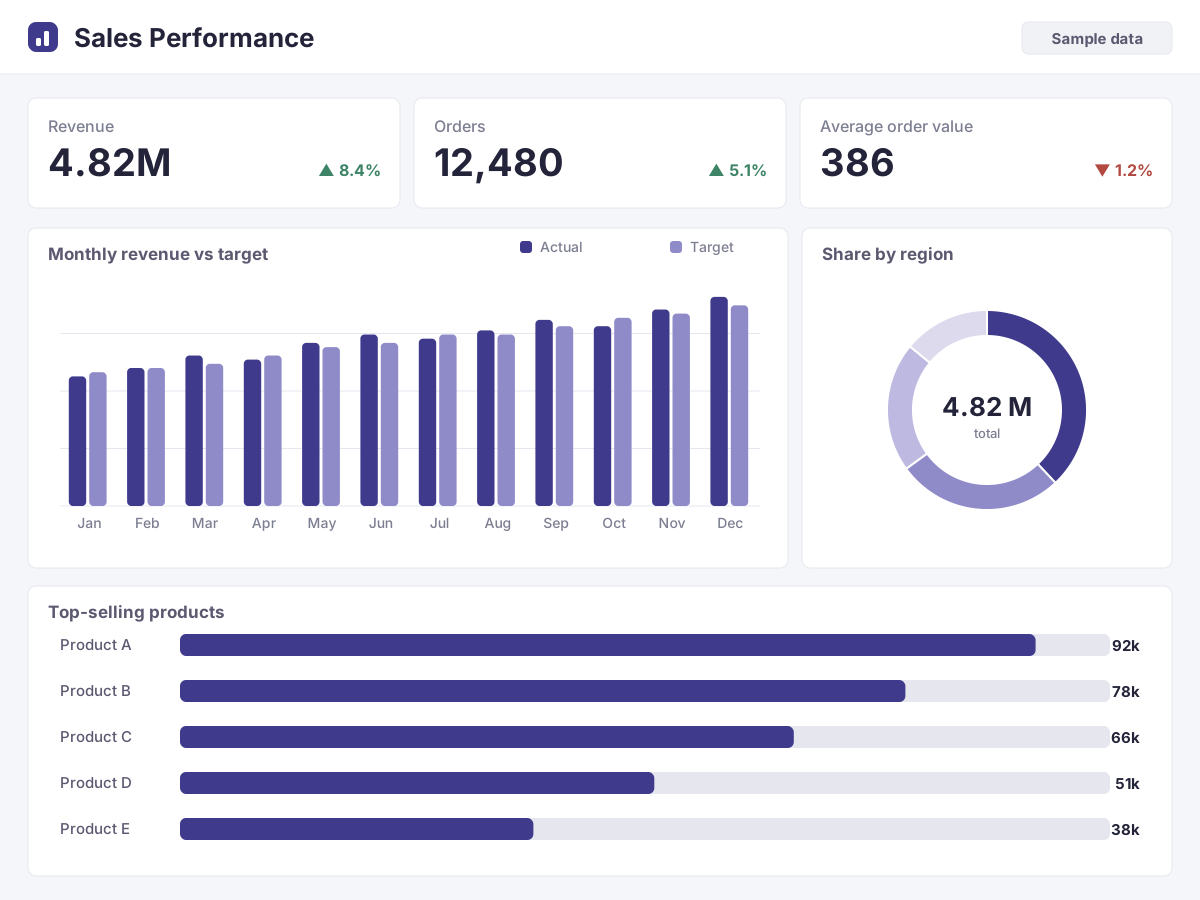
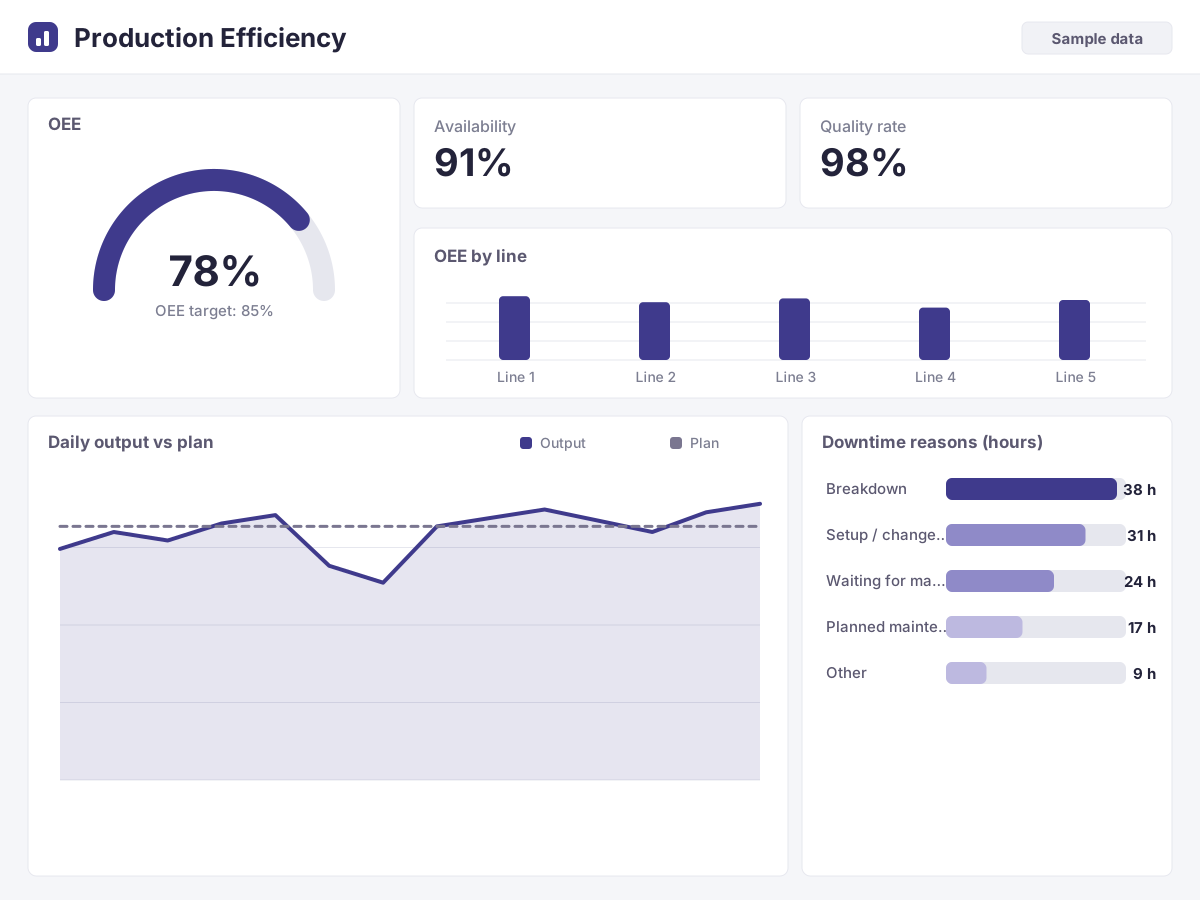
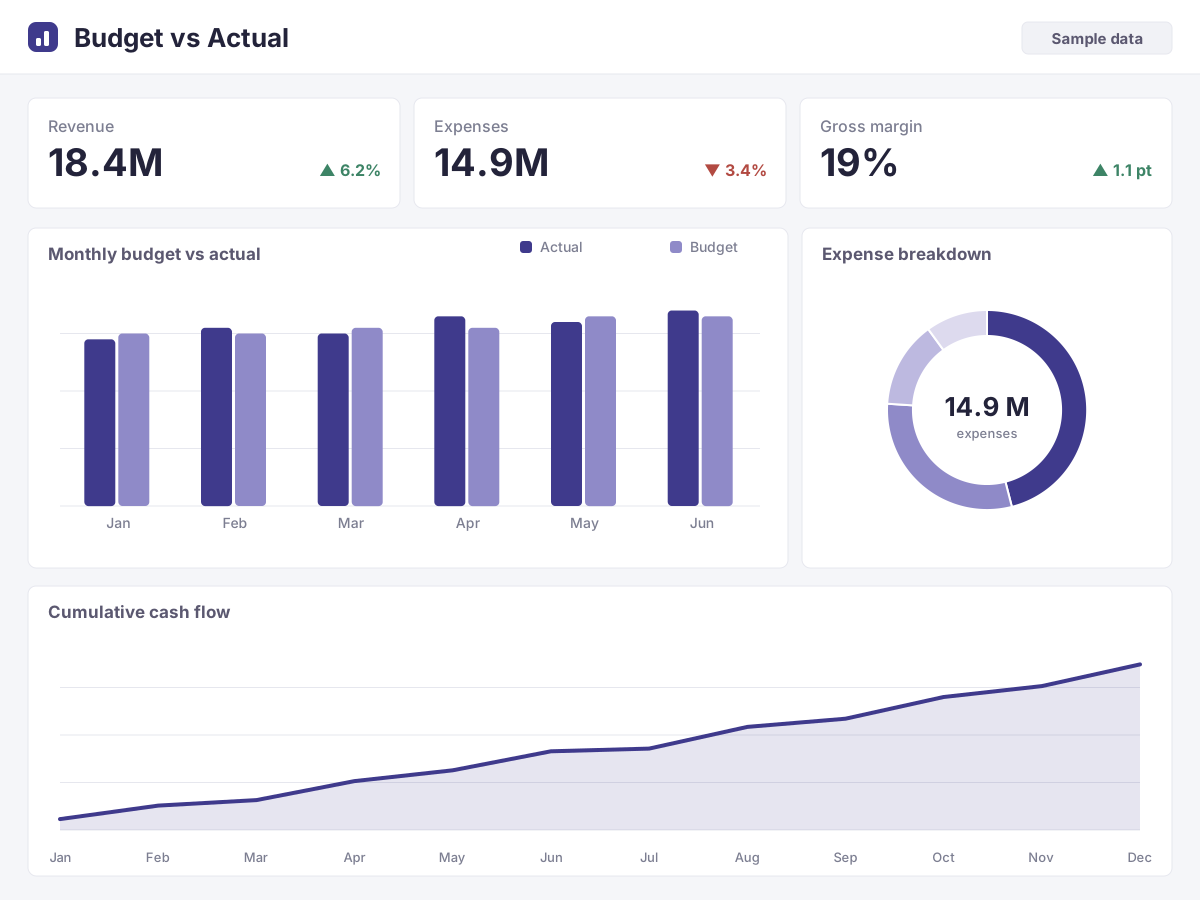
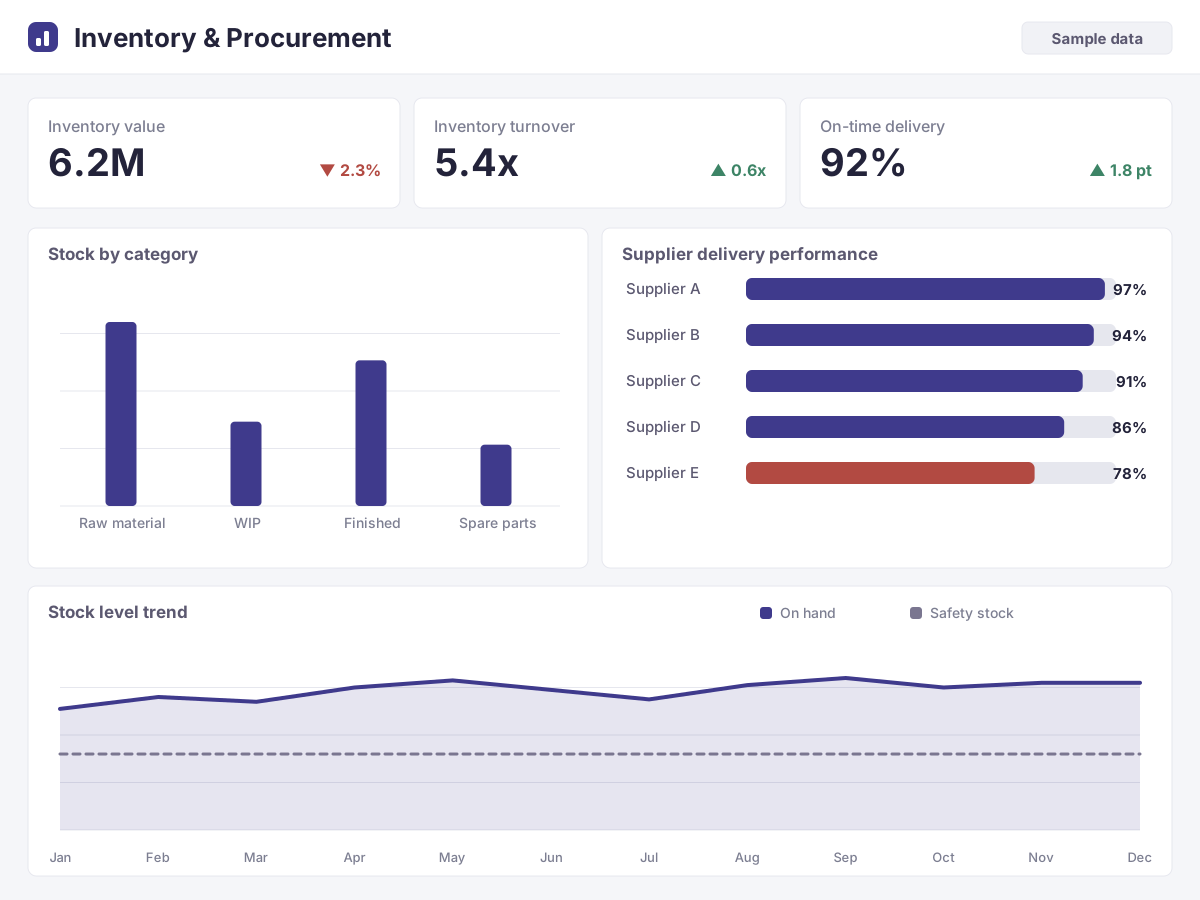
The views below are examples prepared to show the scope of the service. They are built entirely on fictional data and contain no customer data.
Where do we report?
Sales
Sales tracking by revenue, order, customer and product; target and regional comparisons.
Production
Output, downtime, scrap and efficiency indicators; plan vs actual comparison.
Finance
Budget vs actual, income and expense and cash flow reports; management summaries.
Inventory and Procurement
Stock levels, turnover, supplier performance and purchasing spend.
From need to report
- 01
Understanding the Need
Together we identify which decisions need which indicators and where the data lives.
- 02
Preparing the Data
We connect to the sources, clean the data and combine it in a model suited to reporting.
- 03
Draft Report
We quickly build the first views, review them with you and refine them.
- 04
Publishing and Access
We publish the report and set up user permissions and the refresh schedule.
- 05
Training and Support
We brief your team and stay by your side for new needs afterwards.
Why Apis?
A Team That Knows Business Processes
With our experience from SAP, production planning and custom software projects, we understand the process behind the data too.
End-to-End Service
From data preparation to report design, from publishing to training, you work with a single point of contact.
One Source of Truth
By clarifying KPI definitions up front, we build reports where everyone looks at the same number.
A Sustainable Solution
We hand over reports in a form your team can use and extend over time.
Let’s build your reports together
Whether you want to speed up your existing reports or set up a management dashboard from scratch, let’s review your needs together.
Microsoft and Power BI are trademarks of the Microsoft group of companies. Apis Business Solutions is not affiliated with Microsoft; the sample images on this page are built on fictional data.